Archive for the ‘New Features’ Category

Take payment at the time of appointment booking

Friday, February 5th, 2010

Have you thought about taking a deposit from your clients when they book an appointment? Are you seeing ‘no-shows’ and looking for ways to reduce it? Or do just want to feel more secure that the clients will show up at the scheduled time?  Requiring payments before confirming appointment may just be the right thing for you.

We have added this feature just a couple of days ago.  With this, now you can require your clients to put a deposit before they can confirm their appointment.  The appointment booking process remains as simple as it was earlier: select a service, a staff, a date, a time-slot, and confirm.  However, when you turn-on the pre-payment option, your client will be asked to make a deposit (via Paypal or credit cards, if you have enabled them).  If they fail to make the deposit, the appointment will be saved in a pending state, so that you can contact them directly and follow-up.

You can also decide the pre-payment amount; it could either be a fixed amount or a percentage of service fee.  A successful payment will automatically be recorded in client’s account.  To enable this feature, go to ‘Settings’ and then ‘Appointment Preferences’.

As always, we believe you’ll find this useful.  Feel free to drop us a note if you have any suggestion.

Improvements in Project Billing

Tuesday, January 12th, 2010

Significant improvements in project billing in place now.  Well, we deployed these changes a few days ago. I just did not have a chance to write about them.

Let’s get straight to what these improvements mean and how you can use them.  First, now you can create projects with a fixed price  and bill your clients incrementally.  Simplifythis will track the invoiced amount and the remaining unbilled amount for these fixed price projects.  You can see the complete billing history for each of the projects -just select a project and click on ‘Summary’ to do so.

When you create a new project, you’ll notice 3 billing options: (i) Fixed price projects, (ii) Hourly billed projects, and (iii) Non-billable projects.  Select the billing option for the project.  For tracking purposes, we now have added a budget field for hourly projects also.  You can track the amount billed against the budget and see whether you would be able to stick to the budget or not.

Notes - at last

Sunday, December 13th, 2009

I know  - it has been a long time since our last post in the ‘New Features’ category.  Not that we were twiddling our thumbs; we were busy updating the underlying architecture so that we can incorporate your feature requirements more easily.  In the process, we did release a key feature-ability to customize your SimplifyThis page, which may have gone unnoticed by many of you.

The re-architecture  effort is finally paying off.  We are happy to announce the first major feature : ability to keep notes on contacts.  In brief, this will allow you to:

  • - Take multiple notes on a contact.  As usual, select the contact and click on ‘Add Notes’.  To view all notes for a contact, just click on view notes.
  • - Make a note actionable.  This is good to remind your self of  particular task that you need to do for a contact.  While creating or editing a note, select ‘Actionable’  and due date.  Once the task is complete, you can easily mark it as complete.
  • - If you do not wish to view a note again, you can delete it.  If you think you may need it later, you can also hide it.

I know we don’t have the capability to search on notes, or to alert you when an actionable note approaches its due date. Be rest assured, we are working on it and will make it available very soon.

The idea of notes came from Brian at Empire Computer Services.  We sounded it off with several other users and everyone felt that this would be very useful.

Well, the list of new features does not end here.  We have also refreshed the look and feel of client facing pages with a sprinkle of new design, and the capability to choose multiple color schemes.  In addition, we have simplified the appointment booking process as well.  I’ll be writing about these two features in more detail separately.

Send Invoices using iPhone or Android

Monday, April 20th, 2009

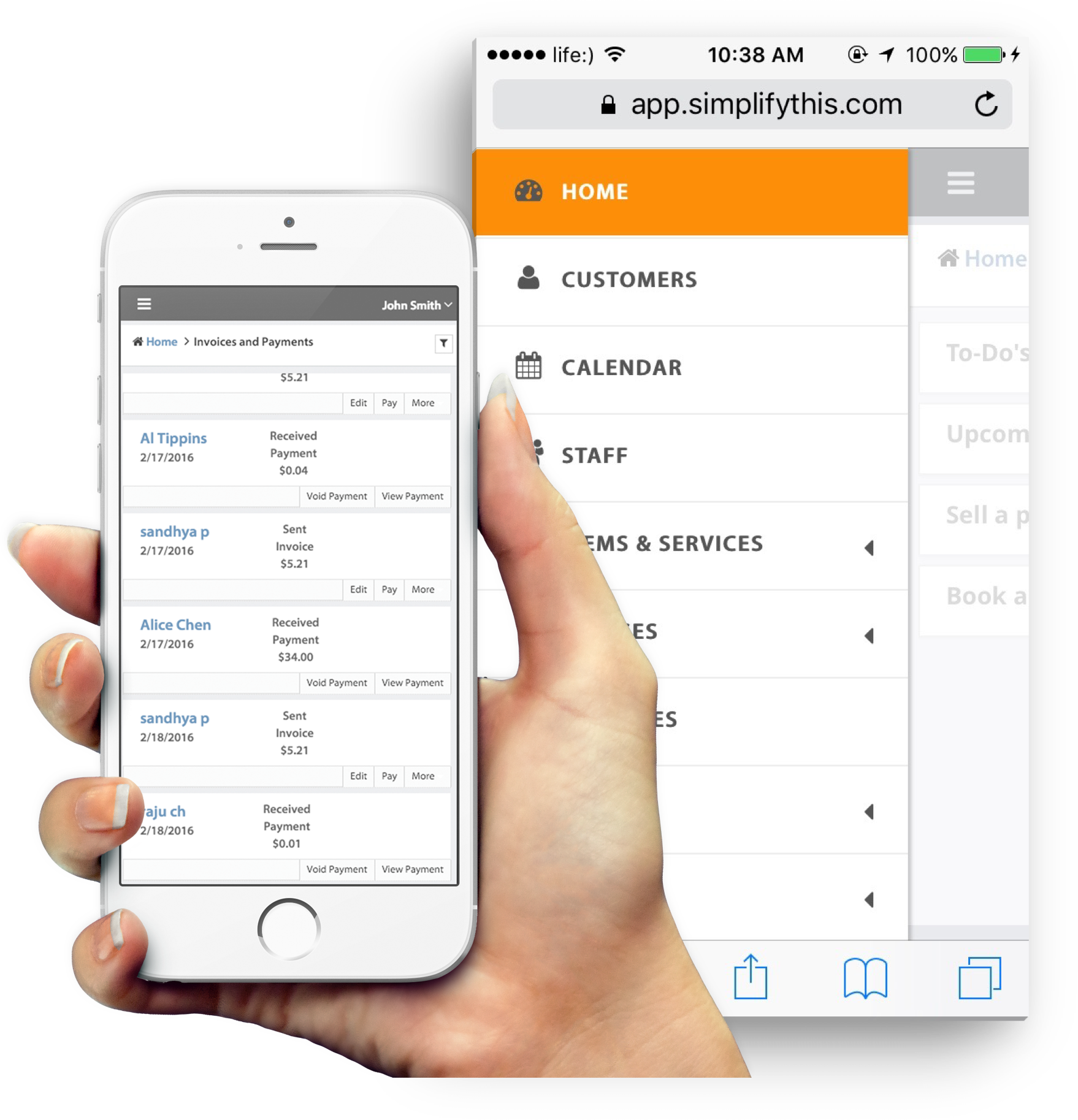
We formally announced the availability of invoicing interface for iPhone and Android.  If you have been touting an iPhone,  you can further expand on its business use by recording charges, adding or updating your client details, or sending invoices. To access these feature, point your phone browser to https://app.simplifythis.com/m.  And to avoid typing the url again and again, we recommend adding the page to your home screen.  And one word of caution: If you have a tendency to lose your phone, make sure to log out after use; the authentication is valid for long to save you from the trouble of entering your user id and password every time.

Very soon, we’ll add project and time tracking to it as well.  If you have any other suggestion on SimplifyThis features that you would like to use from your iPhone, do let us know. We’ll try to get them in the next update.

Yearly Frequency for Auto-billing

Sunday, March 8th, 2009

SimplifyThis did not have a way to send out automated annual invoices.  I had been skirting away from this in the past, hiding under the illusion that people can use a frequency of 365 days to approximate annual cycles.  Apparently, this was not good enough for many of you.  Frankly, I was surprised to see the number of annual auto-billing cycles.  I never thought that this would be the case.

Upon insistance from users, we have added an explicit annual frequency option in auto-bill.  This feature is deployed as of now.  So all the hosting service providers who bill their clients annualy for domain name, or annual set-up fee can now use this option.  As always, please do let me know if you have any feedback.

I have also received request for explicit quarterly auto-bill frequency.  I was tempted to add it while we were enabling annual cycle, but then realized that adding one more option would warrant an interface change.  Having too many options with radio-buttons to choose from would not be a good idea.  So, we’ll keep this for the next round.

Invoices have a new look

Sunday, March 1st, 2009

Thanks to many suggestions from SimplifyThis users, we have a new fresh look for the invoices and estimates.  You’ll notice that there is more “breathing room” between fields and their labels, notes stand out clearly, and your business address goes right next to your logo at the top of the invoice.

I’m sure this new look will spark some discussions.  Please do provide your feedback. Let us know whether you like it or not, or write to us if you have any suggestion to improve the layout further.

Plethora of Phone Platforms

Friday, February 6th, 2009

Recently, we saw the announcement on Palm Pre (old news, I know).  Garmin and Asus are also coming up with their own OS.  And then you have Symbian, WinMo, Blackberry with over 1 million Storms sold,  Android our favorite: iPhone. Needless to say, it is difficult for us to build installable applications for all these phone platforms,and keep them up to date with the rapid feature additions to SimplifyThis.  Luckily, all these platforms provide decent browser support.  So, we have decided that instead of building individual applications for each of them, we would instead build a browser based user interface that is optimized for the small screen.   We are impressed with Apple’s webapp framework, and that is what we are using to build this new interface.

The preliminary screens look beautiful and very user friendly, almost as good as native iPhone applications.  We are simultaneously able to test the phone interface on Andriod phones also courtsey of a friend who lent his T-Mobile G1 for some time, and are pleasantly surprised with how well it works.

We hope to make this phone user interface available within next two weeks.  I would not say much about the list of features that this interface will support at this point, but we are trying to make it fully functional for sending invoices.  I’m sure many of you will use it and enjoy it.  While we may not be able to test it on all phones, we would look for your feedback on how this performs on other phones.

New Feature : Multiple Auto-Bill Cycles

Wednesday, January 7th, 2009

Well, I thought the best way to start posting in new year is to announce a major feature upgrade. So here it is: Now you can have multiple auto-bills per client.  Many businesses run more than one billing cycle for a client.  This feature is especially useful for them.  I have received many requests from hosting service providers who charge a monthly hosting fee and an annual domain name fee.  Since we had the limitation of only one auto-bill cycle per client, we used to suggest them to manually add line items for annual charges - admittedly not the best solution.  From here on, if you have clients that you need to invoice with more than one separate billing cycles, all you need to do is to create an auto-bill for each cycle.

You’ll also notice some changes in the “Activities” section. Now that there can be multiple auto-bills for each client, we thought that it would be important for you to take a quick look at all of them.  So we have divided activities into 2 tabs, Account and Auto-Bill.  Under account, you will see all the invoices and payments. When you click on ‘Auto-Bill’ tab, you’ll see all the auto-bills for the selected client, along with frequency of billing, next invoice date, previous invoice date, total number of invoices remaining and sent, and links for editing or deleting the auto-bill.

We do hope you find this useful. Please do let us know if there is anything that we can change or add to this feature to make it more relevant for your business.

Option of Second Tax for Invoices

Saturday, December 13th, 2008

Here is the second feature update for this week: Now you can two tax fields on the invoices that you send out.  Many of you collect 2 separate taxes and report them separately.  Well, you don’t need to bundle them anymore in a single tax field, you can now separate them out in two different fields.

However, since most of you do not need this additional field, you’ll not see it when you create an invoice or setup your default tax rate.  You would need to customize your invoice structure and enable the 2nd tax field if you need to use this.  Follow these steps to do so:

  1. Go to Settings and click on change next to Invoice and Tax Preferences.
  2. Click on Customize button under My Invoice Type to customize your invoice.
  3. Select the 2nd Tax field and enter the appropriate label for this field.
  4. Click on Save. Verify that you like the invoice structure by clicking on View next to Invoice Type.

After this, whenever you create an invoice, you’ll notice a second tax field with the appropriate label.

We are currently not providing a default rate for the second tax field.  However, if we see that many of you are using this field, we’ll do so.  We also do not have reports on tax by field, but we will provide these reports very shortly.

We do hope that our friends north of border (and many of you in the US who collect county taxes) will be able to use this feature.  Do drop us a note if you have any suggestion.

Recurring Appointments

Saturday, December 6th, 2008

Here it is, finally.  We have been talking about it for a long time with many of SimplifyThis users, but we could not finish and test it properly any sooner.  Well, finally we have deployed the much needed and sought after feature for Easy-Book : Recurring Appointments.  This is an important milestone for SimplifyThis.  This gives us the underpinnings to build several interesting solutions that are When you login the next time and book an appointment, you’ll notice a option for recurring appointment.  Select this option and you are on your way to creating a recurring appointment that occurs at a frequency that you decide.

For now, here is a brief overview of  this feature.  Subsequently I’ll make several posts on how best to use recurring appointments for your business.

To book a recurring appointment , follow the same steps as you do to book a one-time appointment.  Select the start time as the date and time of first occurrence, and  end time as the ending time of this occurrence.You’ll notice an option for recurring appointment.  Once you select this option, the booking form will expand to show you further options related to recurring appointments.

There are three choices to specify the frequency of occurrences.  You can choose from daily, weekly, or monthly options, and specify the number of times that you want this appointment to occur.  If you select daily option, you will also need to specify the number of days between two appointments.  So, if you want a daily appointment, specify 1; or 2 if you want the appointments to occur every other day. For a week pattern,  select the weekly option and specify the days of week that you want the appointments to occur, as well as the number of weeks between each recurring pattern.  For example, if you want appointments to occur Mondays and Wednesdays every other week, select Monday and Wednesday, and specify 2 in Every n weeks.  Similarly, for a monthly pattern, select monthly option, specify day of month when you would like the appointment to occur, and the number of months between two occurrences.

If you choose to send appointment confirmation to your clients or staff, they will receive the appointment details containing the recurrence information.  In addition, depending upon your reminder setting, they will also get reminder email for each occurrence.

The list of appointments that you see in Today section shows you each occurrence of a recurring appointment.  Just like a one time appointment, you can cancel an individual occurrence or send reminder for an occurrence.  However, we do not have the implementation of charging for an occurrence yet - something that we’ll work on soon.   Hope you find this useful. As usual, please drop us a note about your experience with the feature.


Business Blogs - BlogCatalog Blog Directory © 2006 SimplifyThis LLC. All rights reserved. Contact Us | Privacy | Partners | Entries (RSS) and Comments (RSS).