Category: Tips and Tricks

The Brand Gap

A few weeks ago I received a flyer in the mail advertising a new fitness center located three blocks from my apartment.  The flyer caught my attention because the images oozed sophistication and the copy read class.  They claimed that the center was just remodeled into a chic and elegant gym, perfect for the working professional with a busy schedule.  I was astonished when I saw that the seemingly exclusive fitness center was also offering a special for five sessions with a personal trainer for only $100.  I was sold.  So, a few days later, I threw on my gym clothes and headed to the fitness center to purchase my personal training sessions.

As soon as I walked into the gym, I knew that I had been deceived by the flyer.  The small fitness center was not only dirty, but extremely hot and stuffy (apparently they didn’t have any air conditioning).  The woman working at the front desk didn’t even know about the flyer that the center had mailed out, nor did she know about the personal training special.  Even though I had the flyer with me, her manager was gone, so she said I would have to come back to redeem it.  I quickly left, and recycled the flyer on my way home.  There was no way I was ever going back to that establishment, not even for an amazing deal.

This is a good example of a brand gap.  That is, a business that claims one thing, yet does not fulfill that promise in all arenas.  In this case, the fitness center promised me a sophisticated, refined gym to work out in.  They also promised me a great deal, once I joined.  However, when I actually arrived at the gym, they did not follow through on that promise.   The flyer and the actual place of business were two completely different brands.

It is important for all small businesses (whether you are a life coach dealing with clients via the telephone, or a yoga studio) to decide what position your brand is going to take, and then follow through on that position in all facets of your business.  Your website, advertising, and customer service must work together in harmony, which in turn will help you build your business.

For more information on how to build a better brand for your business, check out www.smallbusinessbranding.com.

Business blogs for yoga studios, massage therapists, and freelancers – Our picks

Living up to our promise of bringing to you our pick of industry-specific business blogs, here’s the best of for yoga studios, massage therapists, and freelance writers. While selecting them, we didn’t look for general blogs in the respective domains, but only on those whose niche audience is the owners of the small businesses.

Yoga studio business blogs

: Guides yoga studio owners on insurance, liability law, how to use technology to enhance yoga business, and tips on how to write articles for online marketing. It also brings home the point that a yoga studio may be something you’re passionate about, but it still needs to be run like a business.

: You can send in your questions on anything related to running yoga studios ranging from how to collect payments through credit cards to basic tips on how to start a studio. The blog is more like a video newsletter and has some common-sense business tips for yoga teachers.

: Minimalistic design, useful tips, even some marketing yoga lessons from The Devil Wears Prada!

Massage therapist business blogs

: It’s not simply a mechanical skill that makes a great masseuse, but the ability to be conscious of your client’s moods and, sometimes, to be not affected by them. That’s one of the insightful articles on this blog.

: ‘The wealthy massage therapist’ talks to you about managing massage franchisees, cash flow, and offers links to massage jobs.

Business blogs for freelance writers:

: It does have all the usual stuff that you’d expect to find on a blog for writers, like how to write keyword-friendly articles, but it also has some out-of-the-box articles like avoiding writer burnout, how should a freelancer dress, and more.

: This blog is by a published author and has some serious tips for freelance writers who want to make it big. It’s slightly more inclined towards business writing and is generously loaded with articles on how to write case studies and white papers, time management, and the like.

: Not strictly a business blog, yet visit it for some no-nonsense viewpoints on why writers should keep weekends work-free, how to set an hourly  rate for their service, etc.

We hope you liked these, and, again, if there are more business blogs out there that you like in these domains that we have not covered, please drop us a line.

Stay Inspired: Keep Your Yoga Classes and Your Own Practice Fresh

meditation

If there’s one thing that I’ve learned in my studies of yoga it’s that you’ll never learn all that there is to know. There’s always more knowledge to be gained. I’ve also come to realize that about every four months I get a bit burned out and am in need of a workshop to rekindle my love for yoga. I start to feel like I’m saying the same things over and over again in my classes. Getting on my mat becomes a chore and the monkey mind takes over.

No matter what form of holistic wellness you practice, whether it be yoga, massage, ayurveda, acupuncture, or others, it is important that you remain inspired. It’s crucial that practitioners never think that their journey toward knowledge is over, but rather, it has only just begun. And try to never look at your profession as a confining job. Remember that you came to it because you loved it and believed in it.

Stay Fresh in Your Yoga Practice and Teaching

1. Read all the time.

I read books on yoga nearly every day. I set aside at least 30 minutes to an hour to study the texts in some way. This shouldn’t be painful, it should be a subject that you’re interested in and deepening your knowledge is an added bonus. I alternate reading magazines and simple articles from Yoga Journal and the like, with the more thought provoking texts like the Sutras, Heart of Yoga, Bhagavad Gita, and Light on Yoga. I’ll throw in a novel or two for inspiration like Eat, Pray, Love or a newer book like Happy Yoga or Jivamukti Yoga. The choices are limitless but there is just so much to learn. And every new item that you learn from your readings leaves you saying. “Huh, who knew? I never thought of it that way.” And this is all knowledge that you can pass on to your students.
2. Yoga Workshops

As I said before about every four months I begin to feel drained of knowledge and my practice needs a spring cleaning. After I finished my 200 hour yoga training, I immediately signed up for my 500 hour training so that I could continue to absorb all the wonderful knowledge of yoga teachers that have been teaching much longer than me. I wanted to surround myself with teachers that have experience with every type of injury and every type of student and teachers who have alignment down to a science. While Western yoga doesn’t adhere to the guru in the way that yoga in India does, for some of us, it is still realistic to follow a guru around the world and learn only from them. For me, I am inspired by so many gurus, I don’t yet feel that I have been called to follow one in particular.
3. Add Music to Your Repertoire

If you’re having trouble getting on your mat in the morning (or whenever you practice) consider adding some music to the mix. I used to practice without any music because I thought it was a distraction, but some yogic music can be really moving like Krishna Das, Jai Uttal, and Robert Gass. Sometimes I’ll include chanting with Steve Ross and others. You don’t have to use music every day, but it can be fun for a change.

More on Yoga:

Take payment at the time of appointment booking

Have you thought about taking a deposit from your clients when they book an appointment? Are you seeing ‘no-shows’ and looking for ways to reduce it? Or do just want to feel more secure that the clients will show up at the scheduled time?  Requiring payments before confirming appointment may just be the right thing for you.

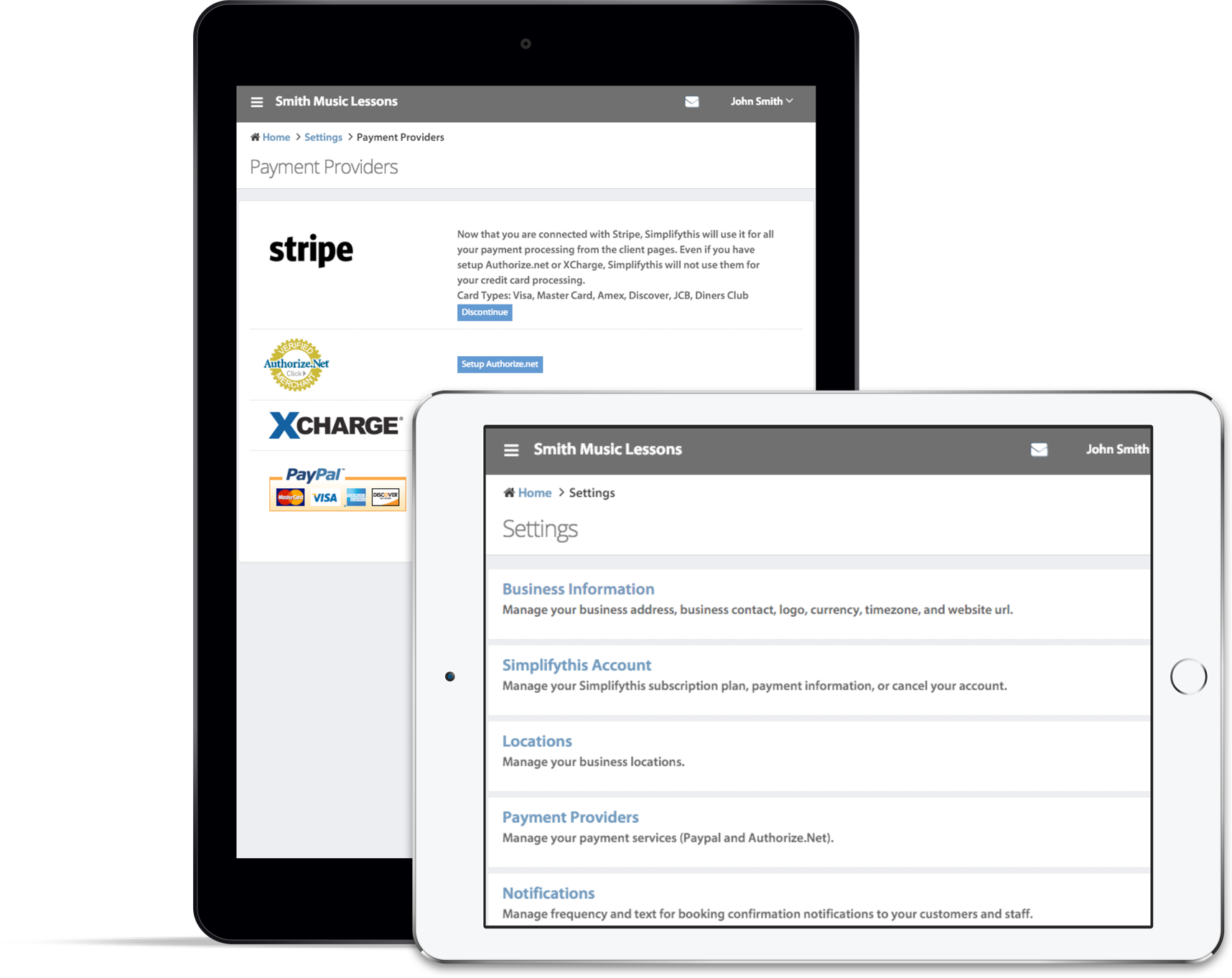
We have added this feature just a couple of days ago.  With this, now you can require your clients to put a deposit before they can confirm their appointment.  The appointment booking process remains as simple as it was earlier: select a service, a staff, a date, a time-slot, and confirm.  However, when you turn-on the pre-payment option, your client will be asked to make a deposit (via Paypal or credit cards, if you have enabled them).  If they fail to make the deposit, the appointment will be saved in a pending state, so that you can contact them directly and follow-up.

You can also decide the pre-payment amount; it could either be a fixed amount or a percentage of service fee.  A successful payment will automatically be recorded in client’s account.  To enable this feature, go to ‘Settings’ and then ‘Appointment Preferences’.

As always, we believe you’ll find this useful.  Feel free to drop us a note if you have any suggestion.

Strategy: Think vs. Don't think

Simplifythis has two online products:

  1. Easy-Bill. Simple, easy-to-use and professional online invoicing for your smbiz
  2. Easy-Book. User-friendly scheduling and booking app for your customers

These two tools are perfect for smbiz such as spas, body shops and independent contractors (don’t worry, this blog post isn’t just a shameless plug…I’ll make my point soon). As chief marketer, it’s obvious I need to reach out to ST’s potential customers. Social media is supposed to help businesses connect with their customers but there are thousands of these smbiz! If I want to reach a large audience, looks like I’ll have to send an e-mail to as many smbiz as I can. So here’s my to-do list:

  • Build a massive, random list of potential smbiz
  • Draft a concise e-mail that describes ST’s products
  • Hire an e-mail marketing firm to make it look snazzy
  • Click “send” and hope for the best

What do you think? After discussing, ST’s founder thought this strategy had a low ROI potential and a huge potential for wasting time.

Many firms and people get gung-ho about the to-do list without thinking about aligning actions with strategy. Each bullet point in the list above is easy to complete. Why, any brain-dead moron could do it (i.e. yours truly)! But taking a step back and thinking critically – that’s the hard part. Trial and error is useful but spending more time thinking can save time, money and a few trials. In our case, implementing – and tracking results of – an e-mail marketing campaign can be expensive and time-consuming.

So ST has a different to-do list. Rather than targeting a bunch of end users impersonally via mass e-mail, we compiled a small list of web designers whom we will approach for partnerships. As an ST partner, web designers include our products in their portfolio of services at no cost. In short, ST partners have more services to offer to their clients (and receive commission when they sell our products) and we get a multiplier effect since their clients can also become our clients.

Lesson? Get excited about strategy before getting excited about the easy stuff. And now for the plug :-)

Do you know of any Web site designers who would be interested in becoming an ST partner? If so, let them know (http://tinyurl.com/STpartner)!

Yearly Frequency for Auto-billing

I have also received request for explicit quarterly auto-bill frequency.  I was tempted to add it while we were enabling annual cycle, but then realized that adding one more option would warrant an interface change.  Having too many options with radio-buttons to choose from would not be a good idea.  So, we’ll keep this for the next round.

Adding booking and account pages to your website

We have been working hard to simplify addition of client facing pages (account management/appointment booking) to your website. However, we do realize that it is a bit confusing if you need to add these pages within an iframe on your site.  We were just reviewing some of the client pages, and noticed that a few of you have added links to these pages using the URL that is meant for embedding them in an iframe.  As a result, your logo and business information do not appear on these pages, and they look a bit weird.

We are working on simplifying the settings for client pages. Once this work is complete, you’ll have the option to explicitly choose between (i)  SimplifyThis displaying your logo and business name on these pages, or (ii) you would do it yourself , embedding these pages in an iframe. In the interim, please make a note of the following:

(i) If you are displaying the pages standalone and would like your logo + business information to appear on the page, select the option ‘ Show pages with my logo and address’. You’ll be asked to choose a unique sub-domain name.

(ii) If, however, you need to embed  the pages within an iframe, select the option ‘Do not show logo and address’.  This option will also allow you to customize the CSS for these pages so that you can match them with the outer page.

Please feel free to drop us a note or give us a call if you have any questions.

More Usage of Recurring Appointments

I did not get a chance to write more about how you can use recurring appointments when we released this major feature.  Here are some possible scenarios that will help you in using this feature.

  1. Rescheduling an occurrence or a series: If you have booked a recurring appointment and want to reschedule a particular occurrence, you can do so easily without modifying the recurring series.  Just open the calendar view and click on the occurrence that you want to reschedule.  You’ll notice an option to modify the selected occurrence or the entire series.  Select the option which will launch the appointment edit form.  Select new time and save.  This will reschedule the regular occurrence.  You’ll also notice the option to send cancellation email for regular occurrence and confirmation email for the new appointment.Also, as you would expect, your client and staff will get a reminder email for the rescheduled occurrence and not for the original occurrence.Keep in mind that if you happen to modify or reschedule an series, any particular occurrence that you may have rescheduled will get canceled.
  2. Canceling a recurring appointment: You can either choose to cancel an entire recurring series, or a single occurrence. Just hover over one of the occurrence in the calendar view  and you’ll notice a red ‘x’ on top right corner.  Click on ‘x’ and you’ll get an option to either cancel the occurrence or the entire series.  If you cancel an occurrence, your client and staff will get cancellation email for that occurrence alone. If you cancel the whole series, they will get one email for the cancellation of the series.  Keep in mind that if you happen to cancel a series, any particular occurrence that you may have rescheduled will also get canceled.
  3. Lunch hours:

    Blocking lunch hour is a good use of recurring appointments.  To do so, create a new recurring appointment that occurs weekly.  Select the staff for whom you are blocking lunch time. Make the recurrence occur every 1 week, and select all the work days of the week.  This also gives you the flexibility to unblock or change the lunch hour on a particular day if you need to.  Just double click on the occurrence that you want to change, and select “Edit this occurrence

    “.

  4. Bi-weekly appointments: If you need to book appointments that occur bi-weekly, just create a recurring appointment that occurs weekly, and make it recur every 2 weeks.  Your calendar will be scheduled with appointments occurring every alternate week.
  5. Quarterly Appointments:

    For quarterly appointments, create a recurring appointment that occurs monthly, and make it recur every 3 months. Select the day of month that you would the appointment to occur on, and save to schedule your quarterly appointment.

I am sure I have not covered all the scenarios. Look for subsequent posts as we get more questions from our users and come across interesting usage of this feature.

More Usage of Recurring Appointments

I did not get a chance to write more about how you can use recurring appointments when we released this major feature. Here are some possible scenarios that will help you in using this feature.

appointment

1. Rescheduling an occurrence or a series:

If you have booked a recurring appointment and want to reschedule a particular occurrence, you can do so easily without modifying the recurring series. Just open the calendar view and click on the occurrence that you want to reschedule. You’ll notice an option to modify the selected occurrence or the entire series. Select the option which will launch the appointment edit form. Select new time and save. This will reschedule the regular occurrence. You’ll also notice the option to send cancellation email for regular occurrence and confirmation email for the new appointment.Also, as you would expect, your client and staff will get a reminder email for the rescheduled occurrence and not for the original occurrence.Keep in mind that if you happen to modify or reschedule an series, any particular occurrence that you may have rescheduled will get canceled.

2. Canceling a recurring appointment: You can either choose to cancel an entire recurring series, or a single occurrence. Just hover over one of the occurrence in the calendar view and you’ll notice a red ‘x’ on top right corner. Click on ‘x’ and you’ll get an option to either cancel the occurrence or the entire series. If you cancel an occurrence, your client and staff will get cancellation email for that occurrence alone. If you cancel the whole series, they will get one email for the cancellation of the series. Keep in mind that if you happen to cancel a series, any particular occurrence that you may have rescheduled will also get canceled.

3. Lunch hours: Blocking lunch hour is a good use of recurring appointments. To do so, create a new recurring appointment that occurs weekly. Select the staff for whom you are blocking lunch time. Make the recurrence occur every 1 week, and select all the work days of the week. This also gives you the flexibility to unblock or change the lunch hour on a particular day if you need to. Just double click on the occurrence that you want to change, and select “Edit this occurrence“.

4. Bi-weekly appointments: If you need to book appointments that occur bi-weekly, just create a recurring appointment that occurs weekly, and make it recur every 2 weeks. Your calendar will be scheduled with appointments occurring every alternate week.

5. Quarterly Appointments: For quarterly appointments, create a recurring appointment that occurs monthly, and make it recur every 3 months. Select the day of month that you would the appointment to occur on, and save to schedule your quarterly appointment.

I am sure I have not covered all the scenarios. Look for subsequent posts as we get more questions from our users and come across interesting usage of this feature.

Credit for missed lessons

It is always good to know the way people are using SimplifyThis. A couple of days after releasing auto-billing feature, I got a call from a music teacher asking about the best way to handle credits with automated billing. She is an music teacher and she bills her students in advance for monthly tuition. This part is simple as she can just setup a monthly auto-bill schedule for her students. The complication comes from her generosity. Unlike many others, she gives credit for missed and cancelled lessons. She wanted to know if there is any way to include these credits in the following month’s invoice while still using the auto-bill schedule.

There is an easy way to handle such credits with SimplifyThis. All she needed to do was to select “include unbilled charges” in the auto-bill schedule. Whenever she needs to issue a credit, she would enter a credit in the unbilled charge section. The next invoice created by auto-bill will automatically pick these credits and apply it to the invoice.

WP Like Button Plugin by Free WordPress Templates